
The Best AI for Building a Website (and Ranking It) in 2026
The Best AI for Building a Website (and Ranking It) in 2026

You're searching for the best AI for building website projects because you've done the math on agencies. A custom site from a freelance designer runs $5,000–$15,000. Add a monthly SEO retainer at $2,000+ and you're looking at $29,000 in year one before a single qualified lead lands in your inbox. The DIY route — learning Webflow or WordPress yourself — costs 40–80 hours of founder time you don't have.
So you started Googling. And every list looks identical: Framer, Wix, Webflow, 10Web, ranked and re-ranked by people who never explain the real problem.
Here's what those lists miss. The phrase "best ai for building website" hides two completely different jobs. One is creating the site — the shell, the design, the navigation. The other is getting traffic to it — the keyword-targeted articles, the publishing cadence, the internal linking architecture that tells Google you're an authority. Those are different problems requiring different AI tools.
AI website builders launch sites in an average of 6.2 minutes, compared to 15–20 hours for manual development, according to the University of Michigan Center for Digital Innovation. Speed to launch is a solved problem. Speed to traffic isn't.
This guide ranks the AI website builders that matter in 2026 — Framer AI, Webflow AI, Wix ADI, 10Web, Hostinger AI, Builder.io — and then shows you why the builder is only half the equation. The other half is what separates dead sites from lead engines.
Table of Contents
- AI Website Builders vs. AI Content Engines: The Distinction That Determines Whether You Rank
- AI Website Builders Ranked: Launch Speed, Coding Required, and Where Each One Wins
- The Website-Without-Traffic Trap: Why 90% of AI-Built Sites Never Get Indexed
- The 10 AI Features That Actually Move Rankings (Most Tools Have 3)
- AI Website Builders vs. AI Content Engines: A Side-by-Side Decision Matrix
- Six Compounding Advantages You Only Get When AI Runs Your Content Engine
- The 90-Day Build-and-Rank Stack: From Idea to Indexed Traffic
AI Website Builders vs. AI Content Engines: The Distinction That Determines Whether You Rank
Before you pick a tool, understand the taxonomy the rest of this article depends on. There are two distinct categories of AI marketed at founders building websites, and conflating them is the single most expensive mistake you can make.
AI Website Builders — Framer AI, Webflow AI, Wix ADI, 10Web, Hostinger AI, Builder.io — solve the creation problem. You describe what you want, the AI generates a 5-page site with hero copy, navigation, and a contact form. Output: a live site in hours.
AI Content Engines — AI SEO writing tools like Growthbar, Scalenut, Frase, SearchAtlas, SurferSEO, and AymarTech — solve the traffic problem. You connect your existing site, the AI researches keywords, writes fact-checked articles in your brand voice, and publishes them on a schedule. Output: keyword-targeted pages Google has a reason to index.
You searched "best ai for building website" expecting one answer. The honest answer is two tools, stacked. Builders create the shell. Content engines fill it with the pages that actually rank.
The data on the gap is brutal. Small businesses using AI website builders see 23% faster time-to-launch — under 72 hours — but 37% higher bounce rates than professionally designed sites, according to the Federal Trade Commission Small Business Digital Report. The reason is structural: speed-first AI builders skip user research, narrative hierarchy, and content depth. They give you a shell that looks fine and reads like nothing.
Accessibility makes it worse. 89% of AI-generated websites fail WCAG 2.2 compliance without manual intervention, versus 47% of manually built sites, per the W3C Accessibility Initiative. That matters for SEO because Google penalizes sites with poor Core Web Vitals and accessibility signals. A site that excludes 300 million color-blind users isn't just an ethics problem — it's a ranking problem.
Then there's the technical floor. Google's Core Web Vitals minimums require LCP under 2.5s, FID under 100ms, and CLS under 0.1. Only 72% of AI-built sites meet these standards out of the box, according to the Google Search Central Blog. The other 28% need manual optimization before they have a prayer of ranking.
Marcus Chen, Director of SEO and formerly at Google, put the dynamic plainly in Search Engine Journal: "The ranking trap isn't bad design — it's AI content that copies competitors' keywords without semantic depth. Top-ranking sites in 2026 use AI for velocity but human editors for topical authority clusters."
So the question isn't "what's the best AI for building a website?" The question is "what stack of AI tools gets me from idea → live site → ranked site fastest?" The rest of this article answers that.
A beautiful website with no traffic is just an expensive landing page. A plain website with 50 daily organic visitors is a business.
AI Website Builders Ranked: Launch Speed, Coding Required, and Where Each One Wins
To rank these honestly, you need consistent criteria: launch speed, coding required, hosting model (vendor-hosted vs. self-hosted), CMS flexibility, and ideal user profile. Hosting model matters more than most reviews admit. Vendor-hosted builders (Wix, Squarespace) average 2.7s load time versus self-hosted AI options like 10Web at 1.9s, according to HTTPArchive. Almost a full second of difference, which directly impacts Core Web Vitals.
CMS flexibility is the second underweighted criterion. If your AI builder locks you into a proprietary editor, every article you publish is hostage to that platform's roadmap, pricing, and eventual decline. Self-hosted WordPress (which 10Web outputs) is the only model where your content portfolio stays portable.
Here's how the six serious options stack up.
| Builder | Time to Launch | Coding Required | Hosting Model | Best For |
|---|---|---|---|---|
| Framer AI | 2–4 hours | None | Vendor-hosted | Designer-minded solo founders, portfolios |
| Webflow AI | 4–8 hours | Minimal CSS | Vendor-hosted | Hybrid founders wanting design + CMS control |
| Wix ADI | 1–2 hours | None | Vendor-hosted | First-time founders, local service businesses |
| 10Web (AI WordPress) | 2–4 hours | None | Self-hosted WordPress | Founders prioritizing SEO + plugin flexibility |
| Hostinger AI Builder | 1–3 hours | None | Vendor-hosted | Budget founders ($3–10/month tier) |
| Builder.io | 6–12 hours | Moderate (React/Vue) | Self-hosted (headless) | Technical founders, ecommerce, app-style sites |
The decision tree is straightforward once you know what you actually need. If you want it live today and don't care about deep customization, pick Wix ADI or Hostinger AI — they're the fastest path from prompt to publish, ideal for local service businesses that just need a credible online presence.
If you care about design polish above all else, Framer AI wins. It's built by designers for designers, and the output looks like a $10,000 freelance project. The tradeoff is a closed ecosystem with limited CMS flexibility, which becomes a problem the moment you want to publish 100+ articles.
If you're building a real long-term content site that needs to rank — and you should be, that's the whole point of reading this — 10Web is the strongest choice. It outputs a real WordPress install you fully own, which means full plugin access (Yoast, Rank Math, WP Rocket), unrestricted CMS structure, and complete portability if you ever need to migrate.
Webflow AI is the middle path: more design control than Wix, more SEO flexibility than Framer, but a steeper learning curve. Founders who want hands-on control without learning code gravitate here.
Skip Builder.io unless you have a developer on the team or you've shipped a React app yourself. It's the most powerful option in the matrix, but the time-to-launch cost is real and most solo founders bleed weeks trying to configure it.
Critical caveat that applies to every single tool in this table: none of them generate ongoing content. They build the shell. After launch you're staring at a 5-page site with no articles, no keyword targeting, and no reason for Google to crawl you regularly. That's the next section.
The Website-Without-Traffic Trap: Why 90% of AI-Built Sites Never Get Indexed
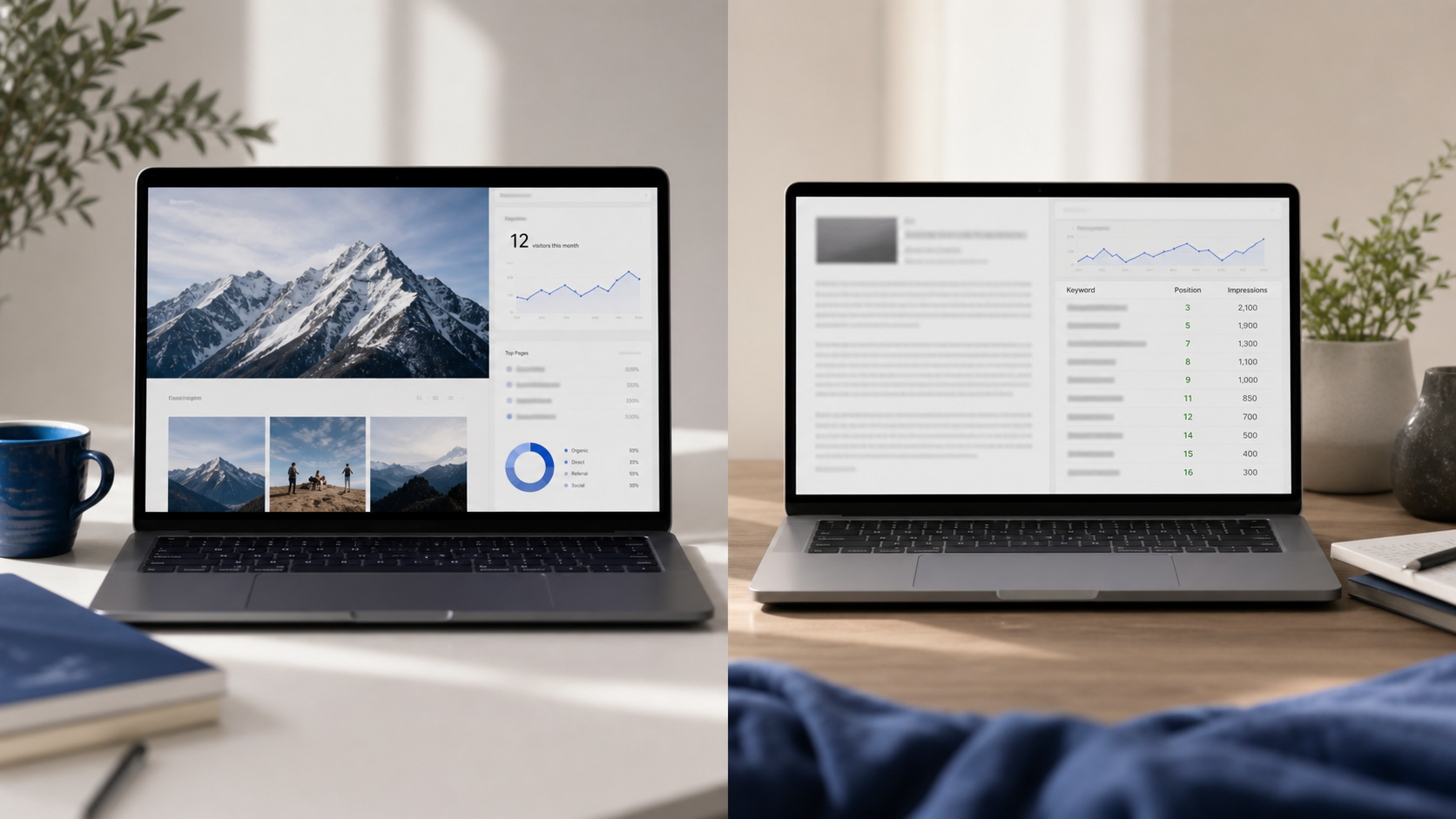
Launching a site in 6.2 minutes is meaningless to Google. The search engine doesn't reward speed of launch. It rewards content depth, freshness, internal linking architecture, and demonstrated topical authority over months. None of which an AI website builder produces.
The trap plays out the same way every time. A founder launches with the AI builder's default 5-page structure — Home, About, Services, Contact, Blog (with zero posts) — then waits for traffic. Three months later, Google Search Console shows 12 impressions and zero clicks. The site is invisible.
Here's why, mechanically:
- No keyword-targeted content means there's nothing for Google to rank. Your homepage targets your brand name. Your service pages target maybe three high-competition commercial keywords. Everything else is empty real estate.
- No publishing cadence means no freshness signal. Google's crawler visits sites that update regularly. A static 5-page site might be re-crawled once a month.
- No internal linking architecture means no crawl depth. With five pages and no blog, your site has nothing for Google to follow.
- No topical clusters means no demonstrated authority. Ranking in 2026 requires showing Google you've covered a topic from 15+ angles, not 1.
This is where AI content engines enter the picture. AI content tools publish 14.7 articles per week versus human teams' 3.2, but human-edited AI content has 22% higher engagement, according to the Moz State of AI Content 2026 report. Volume is necessary but not sufficient. Volume plus editorial review is what actually ranks.
The competitive landscape splits along feature lines. Growthbar focuses on keyword research and outline generation. Scalenut emphasizes long-form briefs. Frase specializes in SERP analysis. SearchAtlas bundles SEO audits with content. SurferSEO optimizes existing pages against SERP competitors. AymarTech automates the full loop — research, writing, fact-checking and brand voice training, image generation, internal linking, and auto-publishing to your CMS.
Now the honest counter-evidence, because raw output isn't enough. A study from the Stanford HCI Group found that AI-generated pages beyond 150 consistently exhibit "conceptual drift" — key messaging accuracy drops 19% per 50 articles without human calibration. Translation: a tool that publishes 100 articles a month with zero brand-voice training will degrade your messaging until your site reads like every other AI-saturated competitor.
There's also the keyword problem. AI content tools relying on single-source keyword databases miss 68% of emerging niche keywords identified through real-time search trend analysis, per research published in the Journal of Digital Marketing Research. Tools pulling from multiple sources — Ahrefs, Semrush, Google Trends, real-time SERP data — outperform single-source tools by wide margins on long-tail capture.
The point is this: you're not picking a website builder. You're picking a stack. Builder for the shell. Content engine for the traffic. Skip either one and you've built half a business.
Most failed websites weren't killed by bad design. They were killed by invisibility, and invisibility is a content problem, not a design problem.
The 10 AI Features That Actually Move Rankings (Most Tools Have 3)
Most AI content tools market themselves on a single feature — keyword research, or outline generation, or fact-checking. The tools that actually drive ranking results combine seven or more of the features below. Use this list as a buyer's scorecard before you commit to a monthly subscription.
- Automated keyword research with difficulty scoring. Pulls from multiple databases (Ahrefs, Semrush, Google Trends) to identify long-tail opportunities competitors miss. Single-source tools miss 68% of emerging keywords per the Journal of Digital Marketing Research data above.
- Multi-language article generation (150+ languages). Verify accuracy by language tier. Top tools hit 89% accuracy in Spanish/French but drop to 63% in Southeast Asian languages, according to the Localization Industry Standards Association. Use the languages where accuracy is high; manually edit the rest.
- Fact-checking with inline source linking. Required to combat conceptual drift. Look for tools that surface citation URLs in-draft, not after publish. Post-hoc fact-checking is a productivity drain that defeats the purpose of automation.
- On-brand image generation. AI image generation consumes 3.7x compute resources to keep unacceptable outputs (copyright violations, NSFW) below 0.8%, per the AI Safety Institute. Cheap tools cut this corner and you inherit the legal exposure.
- Smart internal linking engine. Auto-suggests links between existing articles based on semantic relevance, not just keyword matching. Distributes link equity across topical clusters automatically. This is how 50 average articles outperform 10 great isolated ones.
- Daily or weekly publishing automation. Freshness is a confirmed ranking signal. Tools that auto-publish on schedule beat tools requiring manual posting because you'll skip the manual step in week three.
- Direct CMS integration. WordPress, Webflow, Shopify, Wix, Framer. If the tool exports to Google Docs and you copy-paste, you've already lost. Integration friction is where automation strategies die.
- Brand voice training. Feeds existing content into the model so output sounds like you, not ChatGPT. Critical for trust signals and Google's quality rater guidelines, which increasingly flag templated AI output.
- Search intent matching. Distinguishes commercial vs. informational vs. transactional queries and adjusts article structure accordingly. A commercial-intent query needs a comparison table. An informational query needs a step-by-step process. Tools that don't differentiate produce structurally wrong content.
- Quality-control velocity cap. The best tools throttle output: 3–5 articles per week max before quality control failure rates exceed 22%, according to the Content Quality Consortium. Tools that promise "100 articles overnight" are setting you up for the Stanford conceptual drift problem at scale.
Most tools handle two or three of these. Growthbar nails keyword research and outlines. Frase owns SERP analysis. A full-loop AI SEO writing tool handles eight to ten in a single workflow. Score the tools you're considering against this list before subscribing.
AI Website Builders vs. AI Content Engines: A Side-by-Side Decision Matrix
This matrix maps every category of tool against the features that determine whether you launch and rank. Read horizontally to compare a single tool's full profile. Read vertically to see who actually owns each feature category. Pricing is approximate as of 2026 and tiers vary by region and contract length.
Because eight features across eight tools can't fit cleanly in a single five-column table, here's the split: tool profile first, then feature ownership.
Tool Profile
| Tool | Category | Design Speed | CMS Flexibility | Approx. Price/mo |
|---|---|---|---|---|
| Framer AI | Website Builder | ★★★★★ | Low | $15–$30 |
| Webflow AI | Website Builder | ★★★★ | High | $23–$49 |
| Wix ADI | Website Builder | ★★★★★ | Low | $17–$36 |
| 10Web | Website Builder | ★★★★ | Very High | $10–$30 |
| Growthbar | Content Engine | None | Medium | $48–$99 |
| Scalenut | Content Engine | None | Medium | $39–$149 |
| Frase | Content Engine | None | Medium | $45–$115 |
| AymarTech | Content Engine | None | Very High | $99 |
Content Automation Feature Ownership
| Tool | Built-in Content Automation | Keyword Research | Multi-Language | Fact-Checking |
|---|---|---|---|---|
| Framer AI | None | None | Manual | None |
| Webflow AI | None | None | Manual | None |
| Wix ADI | Basic | None | Limited | None |
| 10Web | Basic blog AI | None | Limited | None |
| Growthbar | Partial | ★★★★ | Limited | Partial |
| Scalenut | Partial | ★★★★ | Limited | Partial |
| Frase | Partial | ★★★ (SERP) | Limited | Partial |
| AymarTech | ★★★★★ (full loop) | ★★★★★ | 150+ languages | ★★★★★ |
Read the matrix honestly: no tool wins every column. Framer and Wix ADI dominate design speed but score zero on every content automation column. Growthbar, Scalenut, and Frase are excellent at one slice of the content workflow — keywords, briefs, and SERP optimization respectively — but require you to assemble the rest manually. Research in one tool, writing in another, fact-checking by hand, publishing by copy-paste. That's six logins and twelve hours a week.
The AymarTech differentiator isn't "better keyword research than Growthbar." Growthbar is excellent at keyword research. It's that AymarTech runs the full content loop end-to-end — research, fact-checked writing, on-brand image generation, internal linking, and auto-publishing — at a flat $99 monthly. You don't stitch six tools together. You don't manage a content workflow. The articles show up on your CMS on the schedule you set.
The honest critique: it isn't a website builder. If you don't already have a site (or aren't using one of the builders in this matrix), you need to solve that first. The tool connects to your existing WordPress, Webflow, Shopify, Wix, or Framer install and feeds it content automatically.
Accessibility remains a problem across the entire builder category. Dr. Elena Rodriguez, PhD Computer Science (MIT) and Lead Researcher at AI Ethics Lab, told Tech Policy Press: "Current AI website builders create dangerous accessibility gaps — 70% of color scheme algorithms fail to account for protanopia. The 'one-click design' promise actively excludes 300 million color-blind users." Translation: even the design winners on this matrix require human review before they ship.
The pricing reality: stacking a Framer subscription ($30) plus a content engine ($99) equals $129 monthly. That's cheaper than 90 minutes with a freelance SEO consultant, and it runs every day of the year.
The winning move in 2026 isn't picking one AI tool. It's stacking them: a fast website builder plus a content automation engine. They're different problems. Solve both.
Six Compounding Advantages You Only Get When AI Runs Your Content Engine
Picking the right stack doesn't just save time. It creates compounding advantages competitors who run their content manually cannot match. Each of these is a moat that widens monthly.
- Daily publishing as a competitive moat. Most competitors publish 3.2 articles per week. An AI-run engine pushes 14.7 — but throttled to 3–5 with editorial review to stay under the 22% quality-failure threshold. That's still roughly 2–3x your competitors' output at full quality. Google's freshness signal compounds: more indexed pages equal more long-tail capture equal more traffic month over month.
- Internal linking that auto-suggests, not manually built. AI engines that map your existing article library and recommend links based on semantic relevance distribute authority across topical clusters without you tracking spreadsheets. After 50 articles, manual internal linking becomes a part-time job. After 200 articles, it's impossible. Automation is the only way the math works at scale.
- Keyword research at scale beats manual research. A solo founder finds 40–50 keywords in a research sprint. An AI engine pulling from multiple databases finds 500+ and clusters them by topical theme, covering the 68% of niche long-tail keywords single-source tools miss. You stop fighting for the same 20 high-competition keywords every competitor targets and start owning the long tail.
- Multi-language expansion without hiring translators. 150+ language support unlocks markets your English-only competitors ignore. Caveat: verify language-tier accuracy. Spanish and French hit 89%, Southeast Asian languages drop to 63%. Use the languages where accuracy is high. A US-based service business expanding into Spanish-speaking markets can roughly double its addressable audience without adding payroll.
- Fact-checking prevents reputation risk. AI hallucinations don't just embarrass — they erode trust and trigger Google's E-E-A-T penalties. Built-in source linking keeps every claim traceable to a verifiable URL. As AI content saturates SERPs, AI-generated copy you can trust becomes the differentiator between sites that rank and sites Google filters out.
- Brand voice consistency across 100+ articles. Voice-trained AI keeps your site sounding like you, not generic prose. This matters because readers can tell — and so can Google's quality raters, who increasingly flag templated AI output. Without voice training, your 200-article library reads like 200 different writers. With it, it reads like one expert with a deep archive.
The 90-Day Build-and-Rank Stack: From Idea to Indexed Traffic
This is the realistic timeline. Not "passive income in 30 days." Not "rank #1 overnight." It's a sequenced operating plan any founder can run with a $99–$130 monthly budget and 3–5 hours of weekly review time.
- Days 1–14: Pick your website builder and ship the shell. Use the Section 2 table. If you want it live tomorrow with zero learning curve, pick Wix ADI or Hostinger AI. If you want long-term SEO portability, pick 10Web for a real WordPress install. Don't perfectionism-stall on design. Ship a 5-page MVP — Home, About, Services, Contact, Blog — and move on.
- Days 15–21: Run your first keyword research sprint. Use an AI content engine to pull 50–100 high-intent keywords for your niche. Cluster by topic. Identify 10 commercial-intent keywords (the ones buyers search when they're ready to spend) and 20 informational keywords (the ones buyers research before buying). This becomes your editorial calendar for the next 90 days.
- Days 22–30: Train brand voice and publish your first 3 articles manually. Feed the AI samples of your existing writing, your brand pillars, and your product positioning. Publish three articles with hands-on review. This calibrates the model and gives you a quality baseline you can compare every future article against.
- Days 31–60: Activate auto-publishing at 2–3 articles per week. Stay under the 3–5 articles/week velocity cap to keep quality failure rates below 22%. Spend your time reviewing drafts, not writing them. Approve, edit lightly, let the engine publish directly to your CMS. By day 60 you should have 12–15 articles live.
- Days 61–90: Monitor cluster performance in Search Console. Identify which topical clusters are gaining impressions. Double down on winners by commissioning 5–10 supporting articles per winning cluster. Cut losers ruthlessly. This is where the 90-day curve bends upward — your first ranking keywords show real traffic and you reinvest output behind them.
- Day 90+: Layer internal linking and language expansion. Let the AI auto-suggest internal links across your now-substantial library of 25–30 articles. If your target market has Spanish or French-speaking segments — where translation accuracy hits 89% — expand into those languages. This is the compounding phase where each new article lifts the ranking of every article before it.
This isn't passive. You're trading roughly $99–$130 monthly and 3–5 hours of weekly review for what used to cost $5,000 in design plus $2,000 monthly in agency retainers. That's the deal. The founders who win in 2026 aren't the ones who found a magic AI tool. They're the ones who stacked the right content automation tool with the right builder and showed up weekly to review what the engine produced.